 Business · Tax
VerifactuCheck
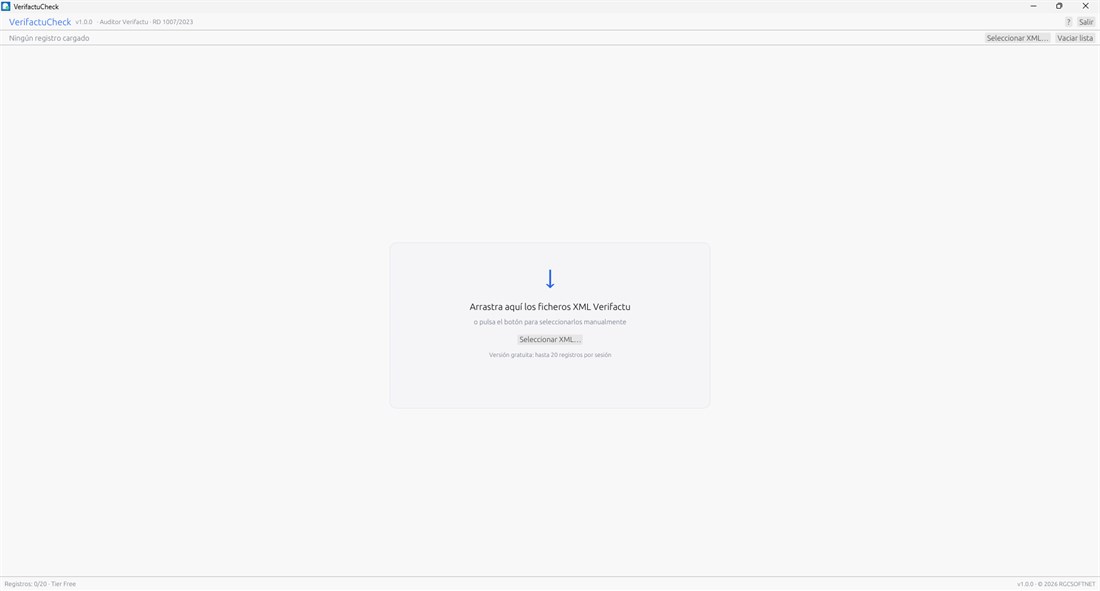
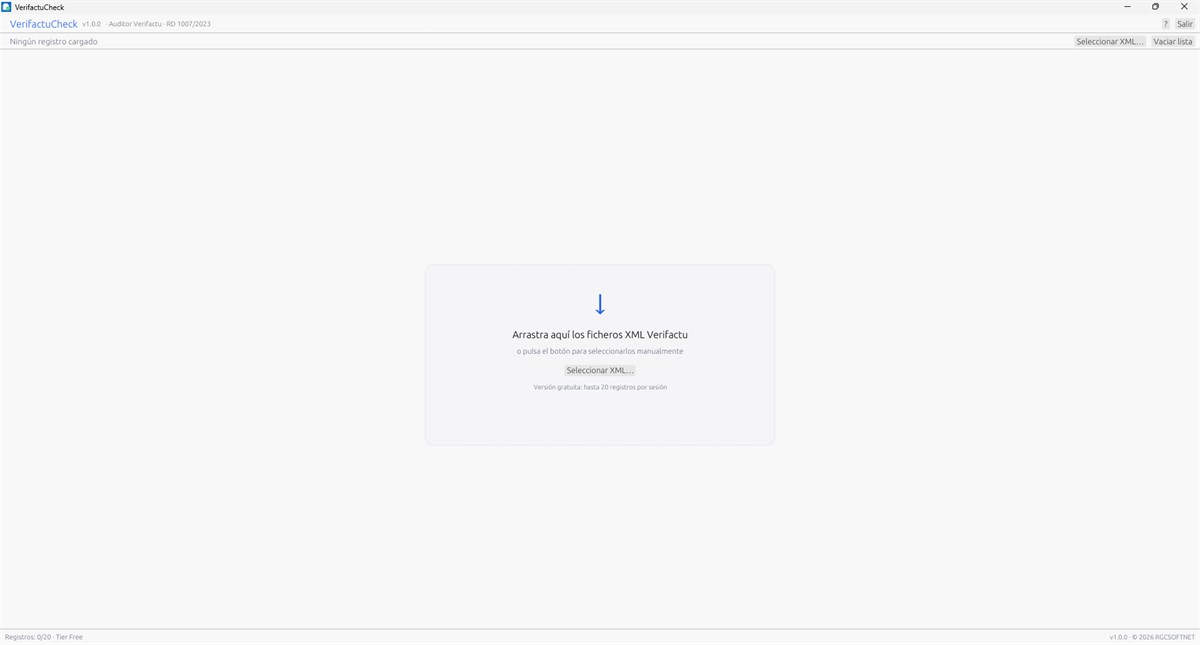
Validate and audit the VERI*FACTU invoice records produced by your invoicing system (SIF).
Native Windows apps built for specific problems: VERI*FACTU invoicing, security, email, productivity and system utilities. No bloated suites and no unnecessary subscriptions.
Three tools that sum up the RGCSOFTNET approach: one specific task, solved well, on your own PC.
Business · TaxValidate and audit the VERI*FACTU invoice records produced by your invoicing system (SIF).
 Security
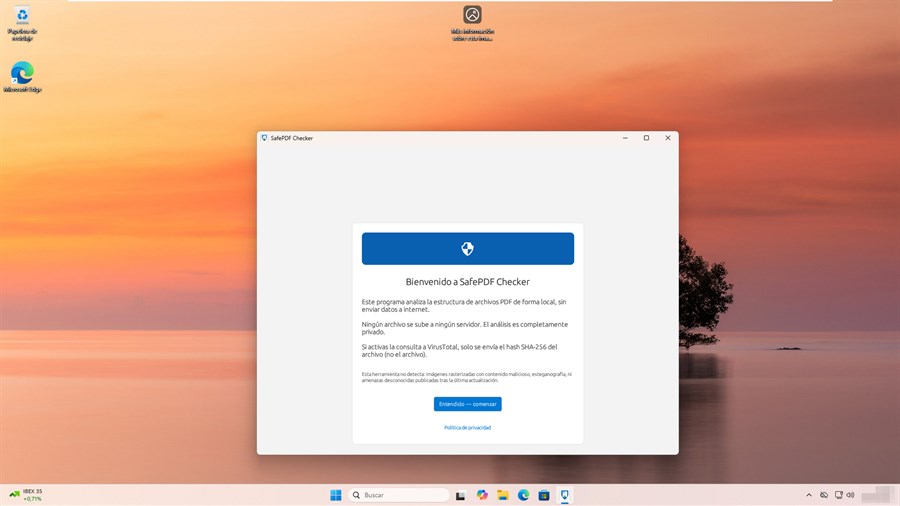
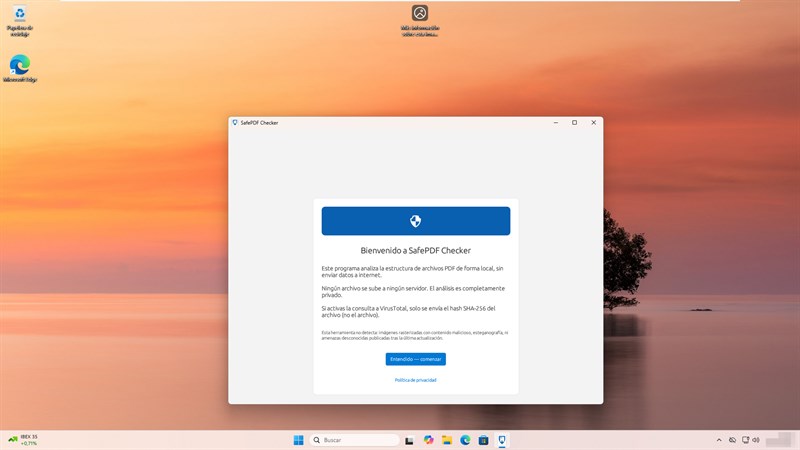
Unexpected PDF in your inbox? Check it before opening: the app looks for dangerous code and links and explains what it finds in plain language — the file never leaves your computer.
 Productivity
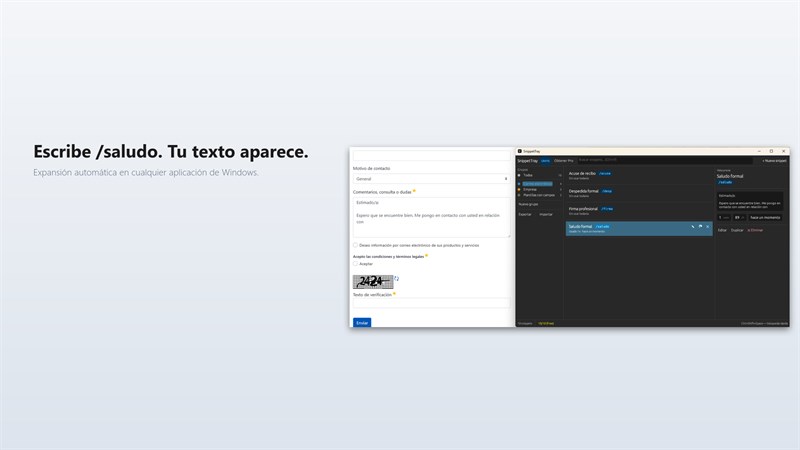
Reusable text snippets from the tray: stop retyping greetings, codes and replies.
What is form without function? A pretty screen that solves nothing. Every RGCSOFTNET app starts from a real problem.
— Roberto García Collado, RGCSOFTNET
Expand any app to see its real screenshots and open its Microsoft Store page.
Business · TaxVersion 1.0.0 · Updated on Jul 13, 2026
Validate and audit the VERI*FACTU invoice records produced by your invoicing system (SIF).
 Business · Tax
Version 1.0.7 · Updated on Aug 29, 2026
With several digital certificates installed, it is easy to sign with the wrong one. This app gives each a recognisable name so you always pick the right one — built for accounting and legal firms.
 Business · Tax
Version 1.0.9 · Updated on Oct 5, 2026
One consistent email signature across your team: you build it once and every employee installs it in Outlook from a single file, without touching any settings.
 Business · Tax
Updated on Oct 17, 2026
Branded property listings without wrestling with a design tool: enter the property once and generate the flyer.
 Business · Tax
Updated on Oct 19, 2026
Today's menu, ready in minutes to display in your venue or post on social media: type the dishes and the app presents them in your house style, as an image or a video.
 Security
Version 1.0.9 · Updated on Oct 31, 2026
Your two-step verification codes always at hand next to the Windows clock: copy them with one click, no need to reach for your phone.
SecurityVersion 1.3.9 · Updated on Sep 24, 2026
Unexpected PDF in your inbox? Check it before opening: the app looks for dangerous code and links and explains what it finds in plain language — the file never leaves your computer.
 Security
Version 0.1.5 · Updated on Sep 29, 2026
Documents and passwords encrypted on your own computer. Nothing goes through third-party servers and you never have to create an account: you keep the key.
 Security
Version 1.2.1 · Updated on Apr 17, 2026
Generate strong passwords with a keyboard shortcut (Ctrl+Alt+P), without opening any window.
 Security
Updated on Oct 23, 2026
If your email provider fails or closes your account, your messages stay with you: the app keeps an encrypted copy on your PC that you can check and restore.
 Security
Version 1.2.6 · Updated on Sep 21, 2026
Clipboard manager: keeps every Ctrl+C beyond the Win+V limit, with history at hand from the tray.
 Productivity
Version 2.1.0 · Updated on Oct 17, 2026
Shows the real state of Caps Lock, Num Lock and Scroll Lock on the monitor you are working on — multi-monitor aware.
ProductivityUpdated on Oct 12, 2026
Reusable text snippets from the tray: stop retyping greetings, codes and replies.
 Productivity
Version 3.0.4 · Updated on Oct 13, 2026
Reads your IMAP inbox and turns it into a visual kanban board to organize your day.
 Productivity
Updated on Oct 17, 2026
Find that old email that only lives in a .pst backup: locate messages, senders and attachments in seconds, even if Outlook is no longer installed.
 Productivity
Version 0.1.0 · Updated on Sep 6, 2026
Helps you keep eye contact on video calls, where the webcam is not where you are looking.
 Productivity
Updated on Nov 2, 2026
Adds a second clock to the taskbar with the time in another country, readable at a glance, plus alarms, timers and one clock per monitor.
 Utilities
Updated on Oct 17, 2026
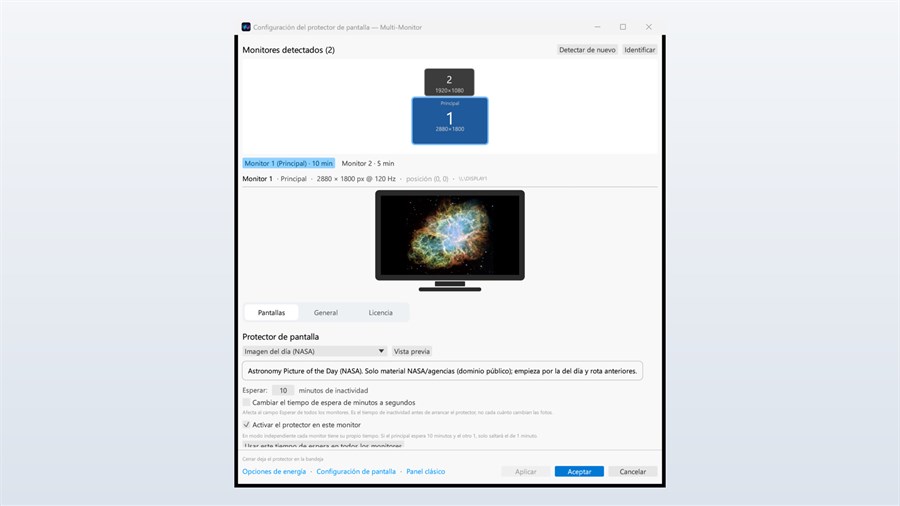
Per-monitor screensaver for Windows 10 and 11: each screen with its own timeout and its own content.
 Utilities
Version 1.3.0 · Updated on Oct 15, 2026
The disk activity LED modern PCs no longer have, now visible on screen.
 Utilities
Updated on Oct 12, 2026
Your LoRa mesh radio on a big screen: connect it to your PC by USB cable or over the local network and drive it from a Windows console compatible with Meshtastic® and MeshCore.
 Utilities
Version 0.3.3 · Updated on Oct 13, 2026
Show a welcome message, information or a slideshow on a second monitor while you keep using your main one.
The latest releases on the Microsoft Store. Every app updates itself through the Store.
First update since launch…
New light and dark design with a countdown ring for every account, instant search, favourites and groups.
First Microsoft Store release (alpha)…
Three new designs for the daily menu (typographic, dish photo and chalkboard), short Stories videos and a…
Styled Stories video (including an investment pitch), a social media pack, new Gallery and Investment…
Fixed a problem when waking from sleep or hibernation while the screensaver was showing a video stored on the…
Built for Windows with native technology: quick to start and light on resources.
Your documents and data are processed on your PC whenever possible. Each app publishes its own privacy policy.
Every app solves one specific problem. Just what you need, done well, no noise.
Installs and updates through the Microsoft Store, with signed packages and verified licensing.
Browse the full catalog on the Microsoft Store or write to us: direct support from the developer, no middlemen.